
Every location isolated, one login switching.
Each FilmOptix location runs as its own fully isolated business — contacts, jobs, calendar, and inventory kept apart at the database layer — while one login switches between shops instantly.
One franchise, and every location sees everyone else's pipeline.
Switch shops in under a second, from one login.
Every location shows up in one switcher. Pick a shop and the whole workspace — customers, jobs, calendar, inventory — flips to that business, sticky until you switch again.
- One login across every location you own
- Instant switching, no separate sign-in per shop
- Sticky selection remembers your last shop
- Owner-level access to add or remove a location
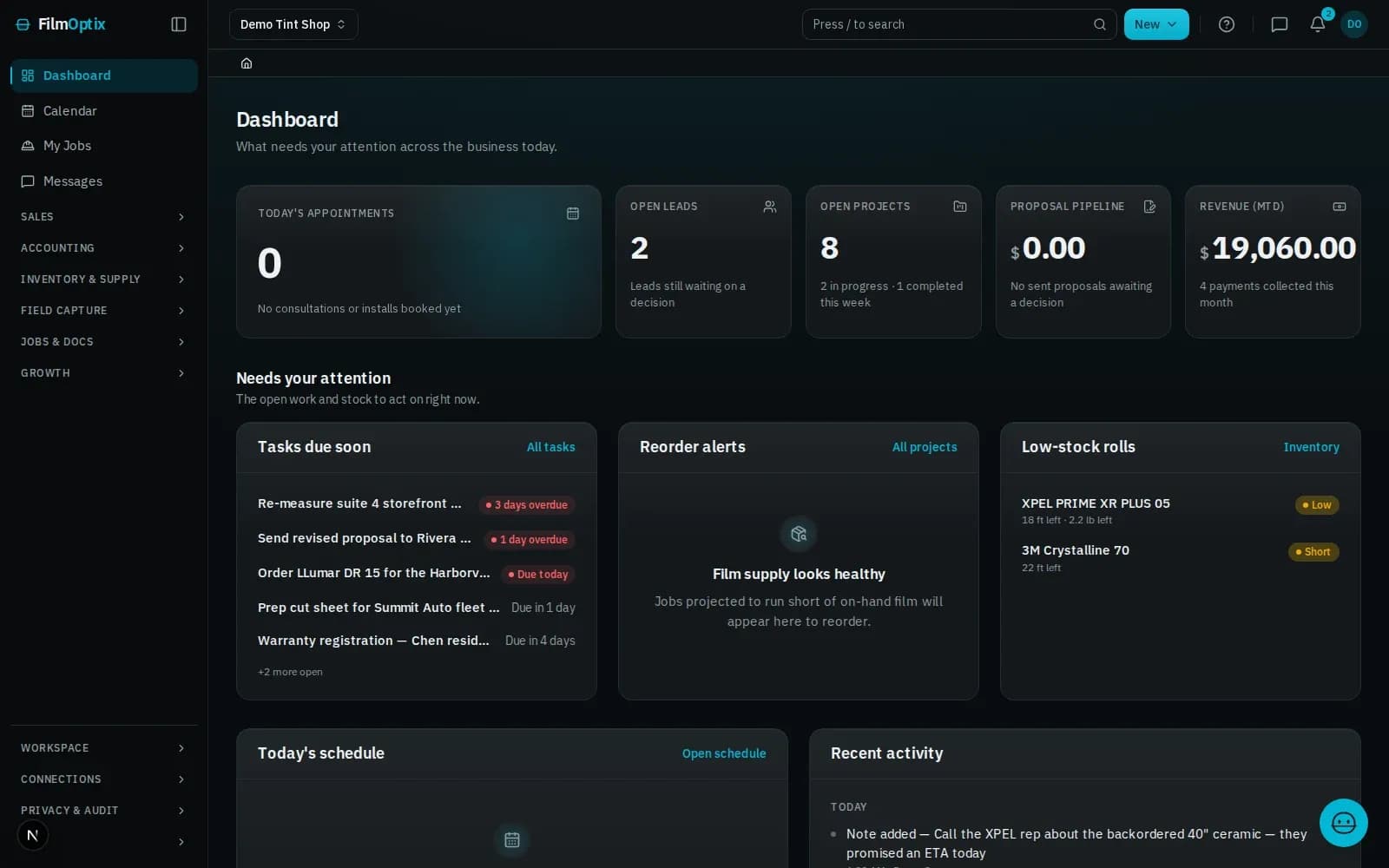
Isolated at the database layer, not by a filter.
Each location's customers, jobs, calendar, and roll inventory are stored apart from every other location's — not the same table with a shop filter that a bad query could cross.
- Customers, jobs, and calendar kept apart per location
- Roll inventory tracked separately, shop by shop
- The same film catalog, priced differently at each shop
- A rollup view totals the numbers without merging the records
Every shop separate. One view on top.
Every location, one dashboard.
Active jobs, upcoming appointments, and on-hand rolls roll up across every location into one operational view.
Switch shops instantly.
One account, every location you belong to — switch between them without signing out.
Settings and analytics, per shop.
Each location keeps its own settings and analytics, managed from a tenant-scoped admin view.
One catalog, priced per location.
The same film catalog prices differently at every shop, without keeping separate spreadsheets.
A calendar for every shop.
Each location keeps its own calendar and crew — nothing double-booked across shops.
Invoice from the shop it belongs to.
Deposits and balances collect against the job at the location that did the work.
See the full platform.
Every module a multi-shop chain runs on, beyond this page — rollup to per-shop invoicing.
Plans and pricing.
Compare tiers and see what ships on every plan, seats included.
Every shop runs the same pipeline. Nothing crosses over.
- 01Lead
- 02Measure
- 03Quote
- 04Schedule
- 05Install
- 06Invoice
It starts as a lead
A web form or an inbound email lands as a lead and drops into the pipeline automatically.
Measure on the plan
Take off panes and square footage straight from the plan PDF — nothing re-keyed by hand.
Quote in minutes
Per-film Good/Better/Best pricing becomes a tokenized proposal your customer opens with one tap.
Schedule the crew
Book the install, assign the crew, and route the day — every appointment tied to the work order.
Install and verify
The crew works the job; photos, glass readings, and a readiness check attach to the record.
Get paid
Deposit and balance collect against the job, and QuickBooks stays in sync — one record, closed out.
One job, six stages, one record.
It lands in the pipeline, not an inbox.
Lead forms · Mail intakeMeasured from the plans, once.
PDF takeoff · Per-room totalsPriced from the takeoff, opened with one tap.
Proposal · E-sign · DepositNested before a blade moves.
2-D nesting · Waste % · Roll inventoryOne board, crew to route.
Dispatch · Crew routes · Field appPaid against the job, synced to QuickBooks.
Invoicing · Payments · QuickBooksMulti-location, answered.
Is each location really a separate database record?
Yes. Customers, jobs, calendar, and inventory are stored apart per location at the database layer — not the same table filtered by shop.
How fast is switching between locations?
Instant. Pick a shop from the switcher and the whole workspace flips to it — your last selection is remembered next time you log in.
Can I price the same film differently at two shops?
Yes. One catalog, priced per location — a change at one shop never touches another shop's pricing.
Is a packaged multi-location plan available today?
The isolation and one-login switching above are live today. A dedicated Multi-location plan tier is in private beta — talk to us if you're running more than one shop now.
Who can add or remove a location?
The account owner. Removing a location soft-deletes it with a restore window, so nothing is lost by accident.
Running more than one shop? Let's see it live.
Bring your locations and we'll show the switch, the isolation, and the rollup — on your own shops, live.
Book a 30-minute demo