
Commercial bids, ingested.
An RFP or plan set lands as a bid with the scope pulled into a structured record — not retyped into a spreadsheet. From there it moves through one pipeline to a job with estimated-vs-actual costing.
An RFP lands. The scope gets retyped anyway.
An RFP lands. The scope is already pulled out.
Forward a plan set or RFP and it lands as a bid, not an attachment to chase down. Mail intake routes inbound bid requests straight into the pipeline, and the scope is pulled into a structured bid — no retyping a line-item list by hand.
- RFP or plan set forwarded straight into a bid
- Mail intake routes inbound bid requests into the pipeline
- Scope pulled into a structured bid Not retyped
- Every bid tied to a lead from the first email
Every bid tracks estimated vs. actual.
A lead moves through one pipeline, stage by stage, until it wins or dies. A won bid converts directly into the job — no re-entry — and job costing tracks the estimated bid amount against actual cost as the work runs.
- Leads move through one pipeline, stage by stage
- A won bid converts straight into a job
- Job costing tracks estimated vs. actual cost live
- Customer and sub POs tied to the same job record
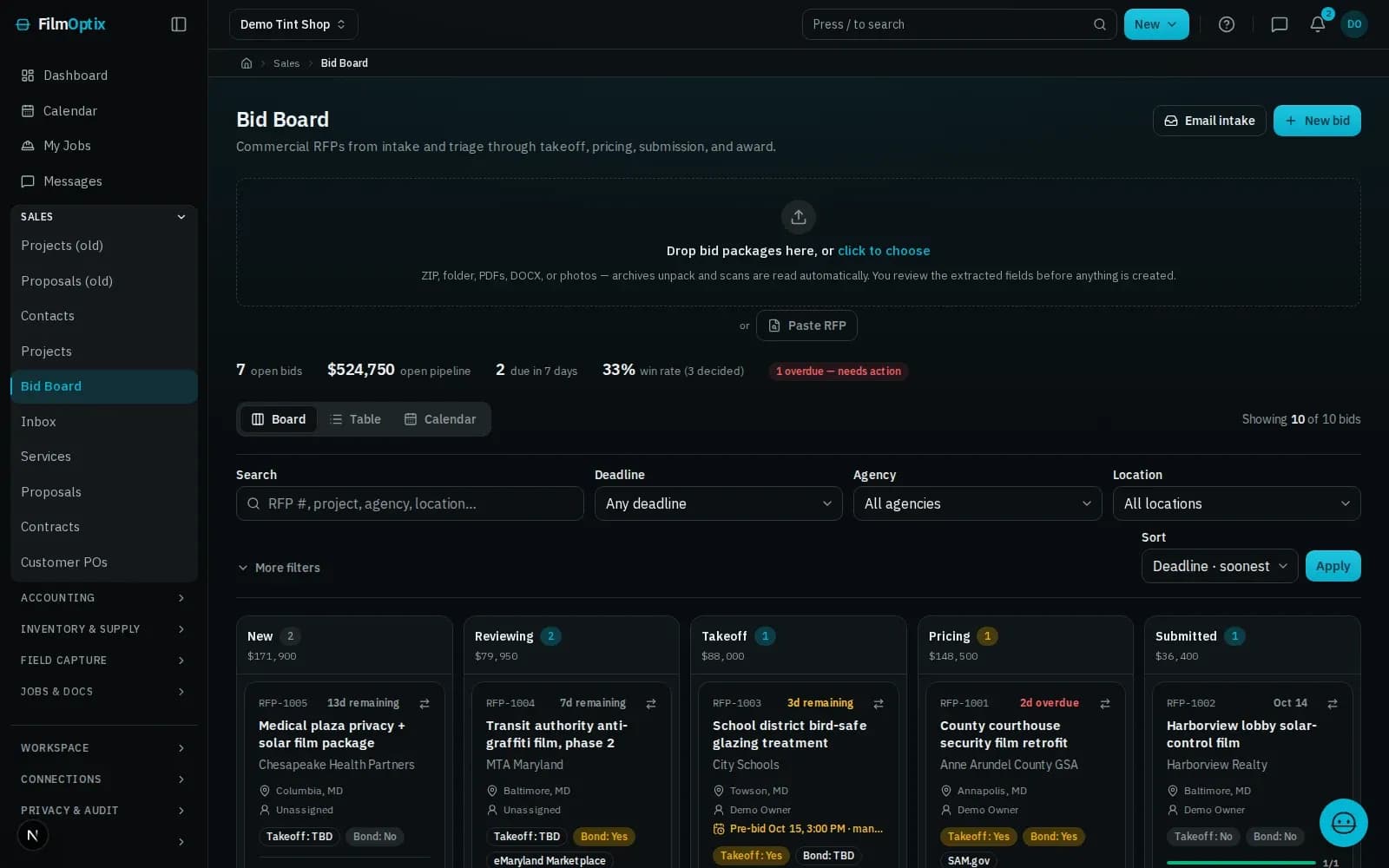
One inbox, one pipeline, one costed job.
An RFP becomes a bid.
Plan sets and RFPs land as a bid with the scope pulled out — no line-item list retyped by hand.
Every inquiry, on the record.
Web forms and inbound email drop straight into a lead — no lead worked from a separate inbox.
One pipeline, every stage.
Leads and bids move through one pipeline with a status on each record, from first contact to won or lost.
Estimated vs. actual, live.
The bid amount becomes the baseline; actual cost tracks against it on the same record as the job runs.
Purchase orders, tied to the job.
Customer POs and subcontractor POs attach to the same job record — no separate PO log to reconcile.
A draft PO before you commit.
Purchasing drafts a PO from the job scope, ready to send to a supplier once the numbers are checked.
A bid starts before the job record does.
- 01Lead
- 02Measure
- 03Quote
- 04Schedule
- 05Install
- 06Invoice
It starts as a lead
A web form or an inbound email lands as a lead and drops into the pipeline automatically.
Measure on the plan
Take off panes and square footage straight from the plan PDF — nothing re-keyed by hand.
Quote in minutes
Per-film Good/Better/Best pricing becomes a tokenized proposal your customer opens with one tap.
Schedule the crew
Book the install, assign the crew, and route the day — every appointment tied to the work order.
Install and verify
The crew works the job; photos, glass readings, and a readiness check attach to the record.
Get paid
Deposit and balance collect against the job, and QuickBooks stays in sync — one record, closed out.
One job, six stages, one record.
It lands in the pipeline, not an inbox.
Lead forms · Mail intakeMeasured from the plans, once.
PDF takeoff · Per-room totalsPriced from the takeoff, opened with one tap.
Proposal · E-sign · DepositNested before a blade moves.
2-D nesting · Waste % · Roll inventoryOne board, crew to route.
Dispatch · Crew routes · Field appPaid against the job, synced to QuickBooks.
Invoicing · Payments · QuickBooksBids & pipeline, answered.
What file types can I submit for an RFP?
PDF plan sets and RFP documents, forwarded by email through mail intake or attached directly. The scope is pulled into a structured bid — no retyping a line-item list by hand.
Can multiple bidders or subcontractors work the same bid?
Yes. A bid can carry subcontractor POs against the same job, and open work can be posted to the subcontractor marketplace for bids from your network.
What happens when a bid converts to a job?
A won bid becomes the job directly — no re-entry. Customer and sub POs, job costing, and the rest of the platform pick up from there.
Can I track bid win rate?
Every bid carries a status through the pipeline, so wins and losses stay on the record — win rate is visible from that history.
Does job costing compare estimated vs. actual?
Yes — the bid amount sets the estimate, and actual cost tracks against it on the same record as the job runs.
Send us an RFP. Watch it become a bid.
Forward a real plan set or RFP and we'll run the intake live — scope pulled out, dropped into the pipeline, and costed against a job — on a single record.
Book a demo